
How to Track Leads From Google and Facebook Ads
By Qkads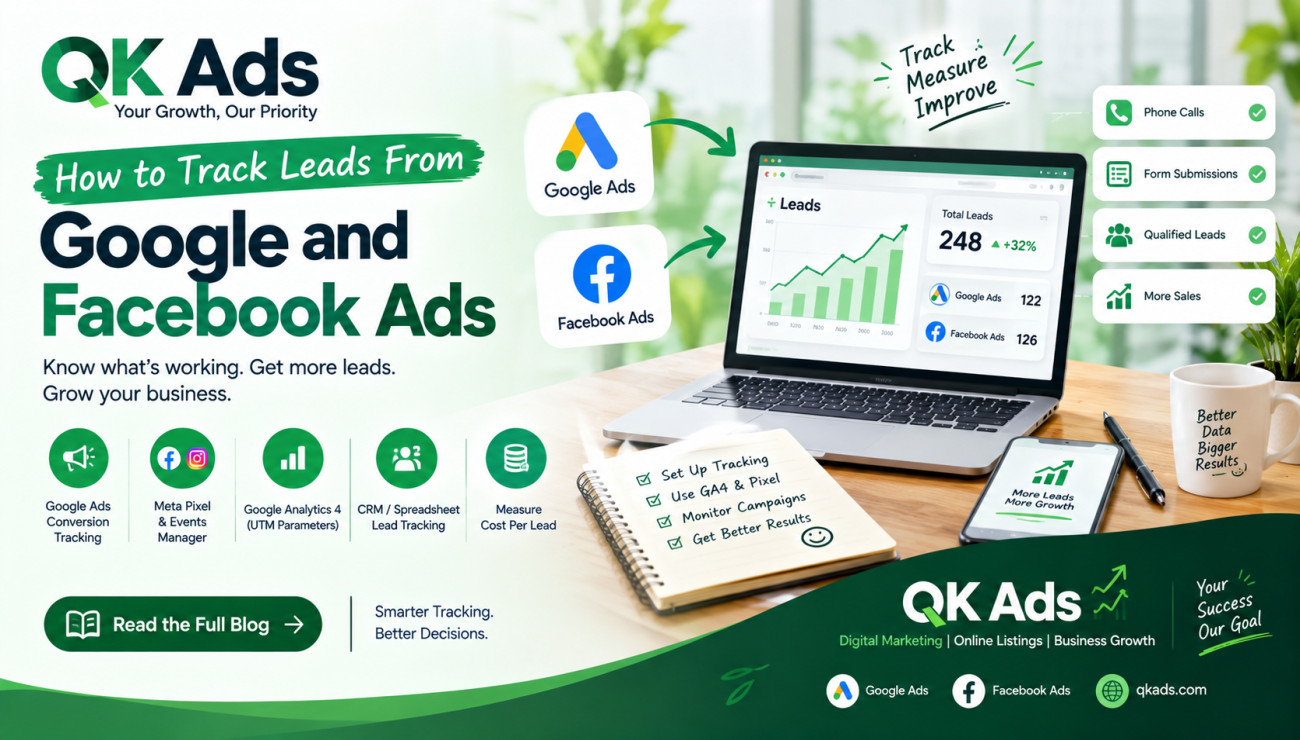
 By Qkads
How to Track Leads From Google and Facebook Ads
Running Google Ads and Facebook Ads can help your business attract potential customers, but how do you know which advertisements are actually generating leads? Without proper tracking, you may spend money on campaigns without understanding which ones bring phone calls, inquiries, and sales.
Lead tracking is the process of measuring where your leads come from and which advertising campaigns generate them. It helps businesses understand campaign performance, improve marketing decisions, and use their advertising budget more effectively.
In this guide, QK Ads explains how to track leads from Google and Facebook Ads step by step.
Why Is Lead Tracking Important?
Lead tracking helps you identify which campaigns, keywords, advertisements, and audiences generate valuable inquiries. Instead of focusing only on clicks and impressions, you can measure the results that matter to your business.
With accurate tracking, you can:
-
Identify which advertising platform generates more leads.
-
Measure your cost per lead (CPL).
-
Understand which campaigns bring qualified prospects.
-
Reduce wasted advertising spend.
-
Improve campaign performance and return on ad spend.
1. How to Track Leads From Google Ads
Google Ads offers conversion tracking to measure important customer actions, such as form submissions, phone calls, purchases, and other valuable interactions.
Steps to track Google Ads leads:
-
Sign in to your Google Ads account and open the Goals or Conversions section.
-
Create a conversion action for the lead activity you want to measure.
-
Set up the Google tag or use Google Analytics 4 (GA4) with the appropriate integration.
-
Configure the relevant event, such as a successful form submission or a qualified phone call.
-
Test your setup to confirm that conversions are recorded correctly.
You can also connect Google Ads with GA4 to understand how visitors interact with your website before converting. Make sure you avoid counting the same lead multiple times.
2. How to Track Leads From Facebook Ads
Facebook and Instagram advertising campaigns are managed through Meta Ads Manager. For website leads, the Meta Pixel and, where suitable, the Conversions API can help measure actions taken after people interact with your advertisements.
Steps to track Facebook Ads leads:
-
Open Meta Events Manager and set up a data source for your website.
-
Install the Meta Pixel or configure an appropriate integration.
-
Track important events, such as lead form submissions or completed registrations.
-
Use Meta Ads Manager to review campaign results and reported leads.
-
Test your events and compare the reported results with your actual inquiries.
If you use Meta's built-in Instant Forms, review the leads collected through those forms and connect them to your CRM or lead management system when appropriate.
Remember that platform-reported conversions may differ because of attribution settings, privacy restrictions, reporting windows, and tracking limitations.
3. Use Google Analytics 4 to Understand Lead Sources
Google Analytics 4 (GA4) helps you understand how visitors reach your website and what they do after arriving.
Use campaign tagging with UTM parameters to identify traffic from specific advertisements. For example, you can distinguish visitors from a Google Search campaign from those arriving through a Facebook promotion.
Monitor relevant events, mark suitable actions as key events, and compare traffic sources to understand which campaigns contribute to leads.
4. Track Leads Using a CRM or Spreadsheet
Tracking conversions inside advertising platforms is useful, but recording actual inquiries and sales provides a clearer picture of business performance.
You can use a CRM or a simple spreadsheet to record:
-
Lead name or reference ID.
-
Date of inquiry.
-
Source, such as Google Ads or Facebook Ads.
-
Campaign name.
-
Lead status: new, contacted, qualified, or converted.
-
Sale value, where applicable.
Use consistent lead IDs and appropriate integrations to connect advertising data with your sales records. Handle customer information responsibly and follow applicable privacy requirements.
5. Measure Cost Per Lead and Lead Quality
To evaluate campaign performance, calculate your cost per lead:
Cost per Lead (CPL) = Total Advertising Spend ÷ Number of Leads
For example, if you spend ₹10,000 on advertising and receive 50 leads, your cost per lead is ₹200.
However, a lower CPL does not always mean better results. Compare lead quality, qualified leads, sales, and customer acquisition costs to determine which campaigns are delivering real business value.
Frequently Asked Questions (FAQs)
How can I track leads from Google Ads?
Set up conversion tracking in Google Ads using the Google tag, GA4 integration, or another supported implementation. Configure and test events for form submissions, calls, purchases, or other important customer actions.
How can I track Facebook Ads leads?
Use Meta Ads Manager to review campaign results. For website leads, configure the Meta Pixel or Conversions API where appropriate. For Instant Forms, monitor the leads collected through Meta's lead forms.
Can I track Google Ads and Facebook Ads leads in one place?
Yes. A CRM or lead management system can combine leads from multiple sources. Using consistent campaign names, UTM parameters, and lead IDs helps you compare performance across platforms.
What is a good cost per lead?
There is no universal ideal cost per lead. It depends on your industry, profit margins, customer value, and lead quality. Evaluate whether your leads turn into paying customers rather than judging performance by CPL alone.
Final Thoughts
Tracking leads from Google and Facebook Ads helps businesses move beyond clicks and focus on meaningful results. By setting up conversion tracking, using GA4 and UTM parameters, maintaining accurate lead records, and measuring lead quality, you can make more informed advertising decisions.
QK Ads encourages businesses to combine smart digital marketing with effective online visibility. Visit qkads.com to explore online listing and business promotion opportunities that can help customers discover your products and services.
📞 Contact Details
Looking to post a property, product, job, service, or business advertisement?
📱 Contact: 9814102655
📧 Email: rajk6764@gmail.com
🌐 Website: QKAds.com
For listing assistance, advertising enquiries, or more information, feel free to get in touch.
Recent Blog
Testimonials
I was searching for a rental apartment and found the perfect one through QkAds. The filters and categories make it really easy to find exactly what you need.

Sumit Yadav
SellerAs a small business owner, QkAds helped me reach local customers without spending on ads. Posting is free and super fast. Great platform!"

Manish Kumar
SellerI was searching for a rental apartment and found the perfect one through QkAds. The filters and categories make it really easy to find exactly what you need.

Sanjay
WriterQkAds is my go-to platform now. Whether it's selling furniture or finding services, everything is in one place. Simple, fast, and reliable

Kritika
Writer
Comments (0)